For Etsy printable wall art sellers
Turn your finished artwork into customer-ready Etsy printable packs
Imij Flow is a Mac desktop app that helps Etsy printable wall art sellers turn one finished artwork into organised ratio exports, a customer-ready ZIP pack, size guide and handoff PDFs — with built-in AI upscaling, print-prep checks, and less repetitive manual work.
Why it matters
The finishing work takes longer than it should.
Packaging one printable wall art listing by hand can easily take 30–60 minutes per artwork.
Manual by hand
- Start with one finished artwork
- Upscale it if the source file is not big enough
- Resize it into multiple printable ratio families and sizes
- Check whether each family is large enough for the target print sizes
- Rename files and organise folders manually
- Build the customer ZIP manually
- Create the size guide PDF
- Create the handoff / download PDF
- Repeat the whole process for the next listing
With Imij Flow
- Start with one finished artwork
- Upscale source files automatically using built-in AI upscaler engines
- Generate printable ratio families and export sizes automatically in one focused flow
- Run print-prep checks automatically before packaging
- Rename and organise files automatically
- Generate the customer ZIP automatically
- Generate the size guide PDF automatically
- Generate the handoff / download PDF automatically
- Brand the PDFs with your own banner, icon, and customer-facing message
- Get a cleaner, customer-ready delivery pack
- Publish faster and scale your shop with less manual setup
You still review the artwork itself. Imij Flow handles the repetitive production steps.
In action
From finished artwork to customer-ready files
The art is already done. Imij Flow handles the production steps that follow — without the manual tool-switching.
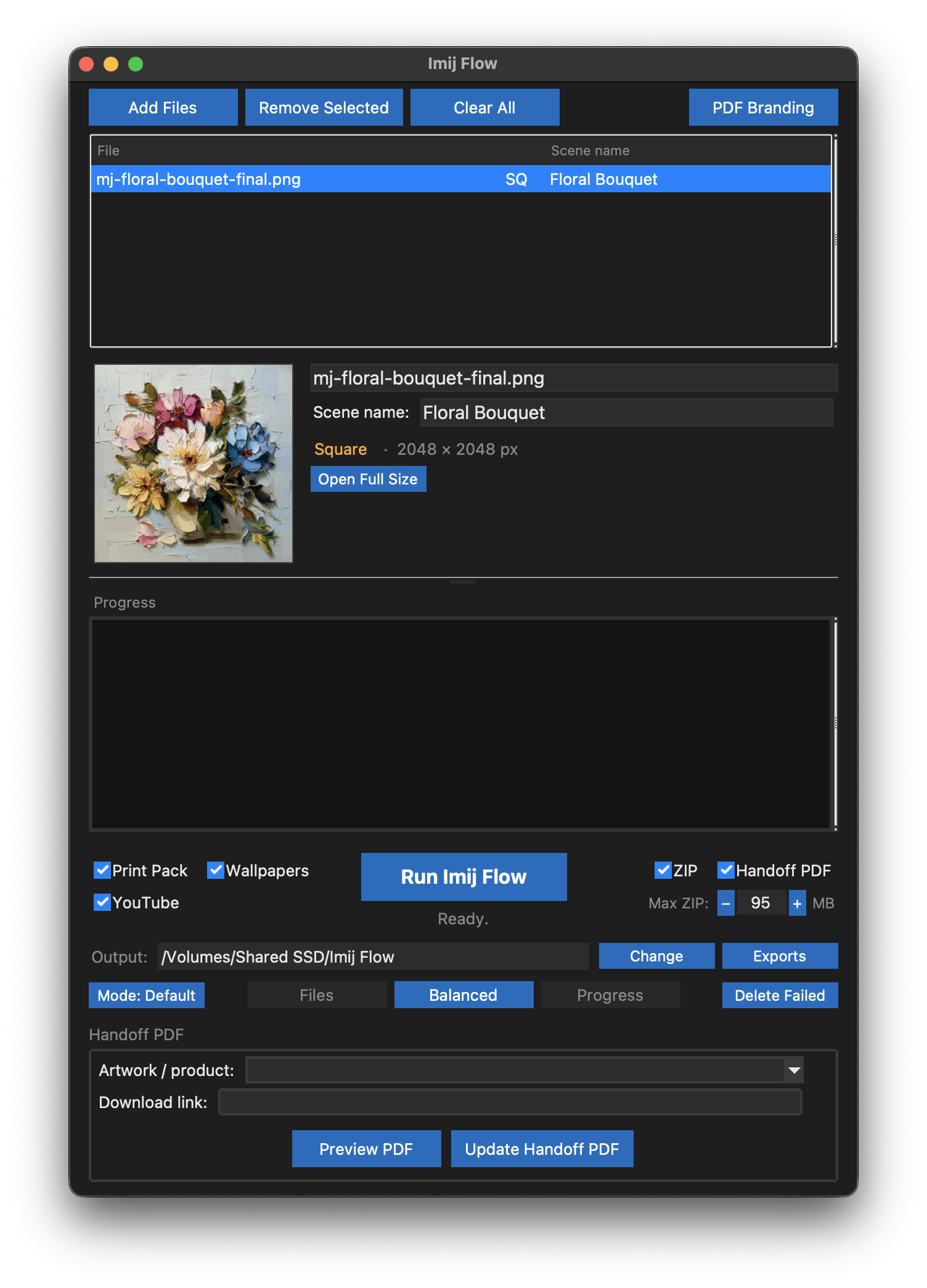
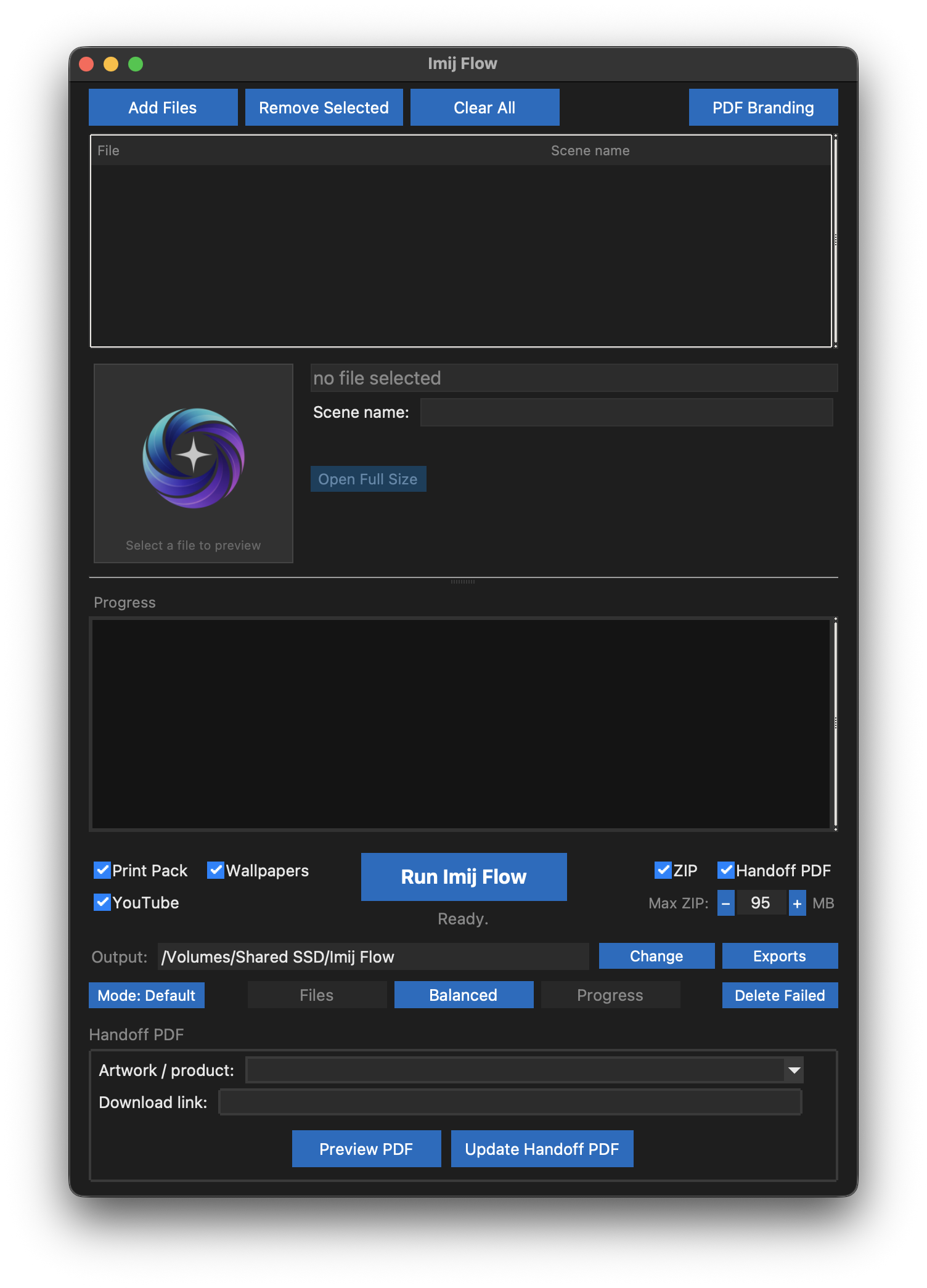
Start with your finished artwork and organise it into a clean production flow.
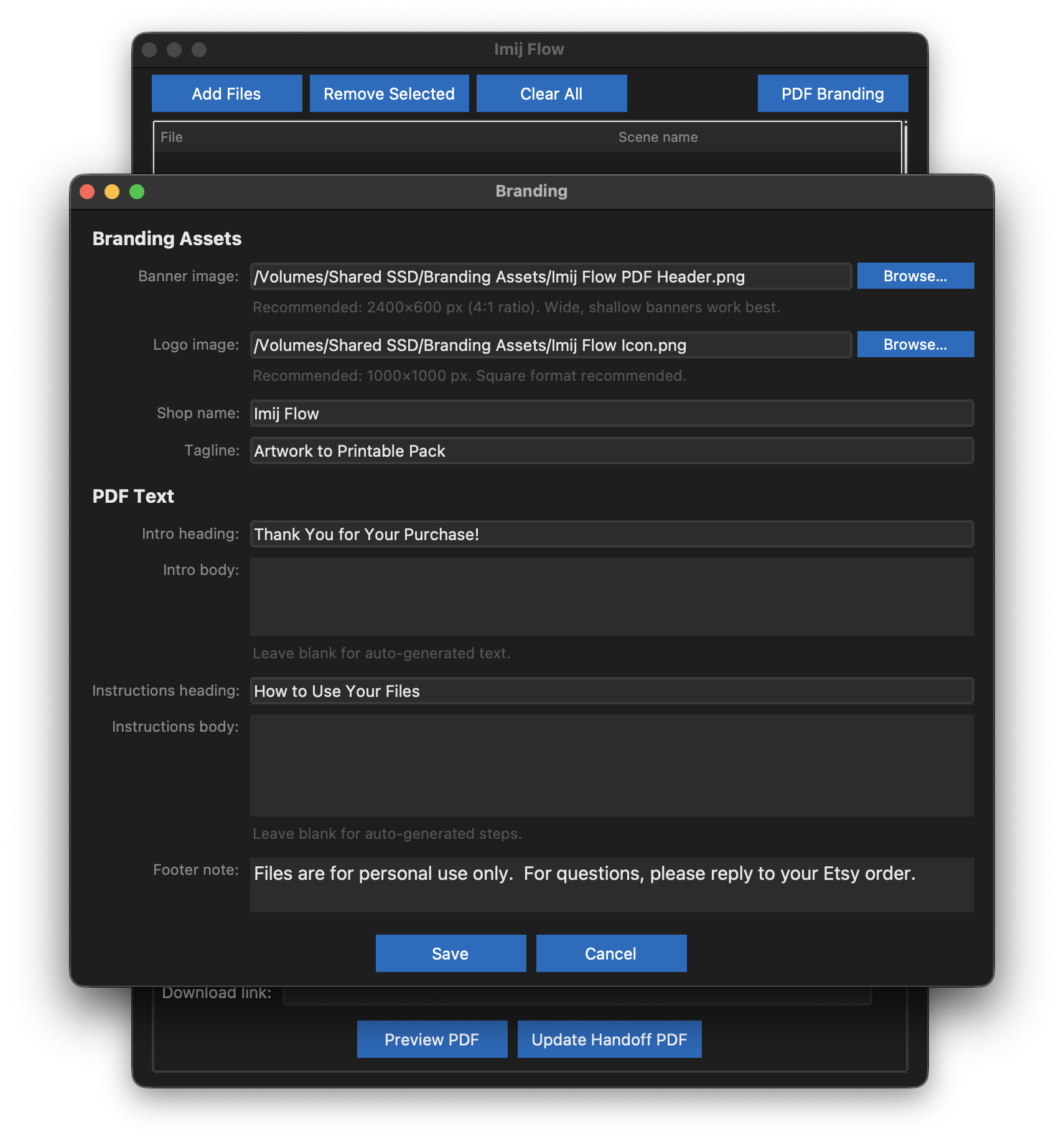
Add your banner, icon, shop name, tagline, and customer-facing copy.
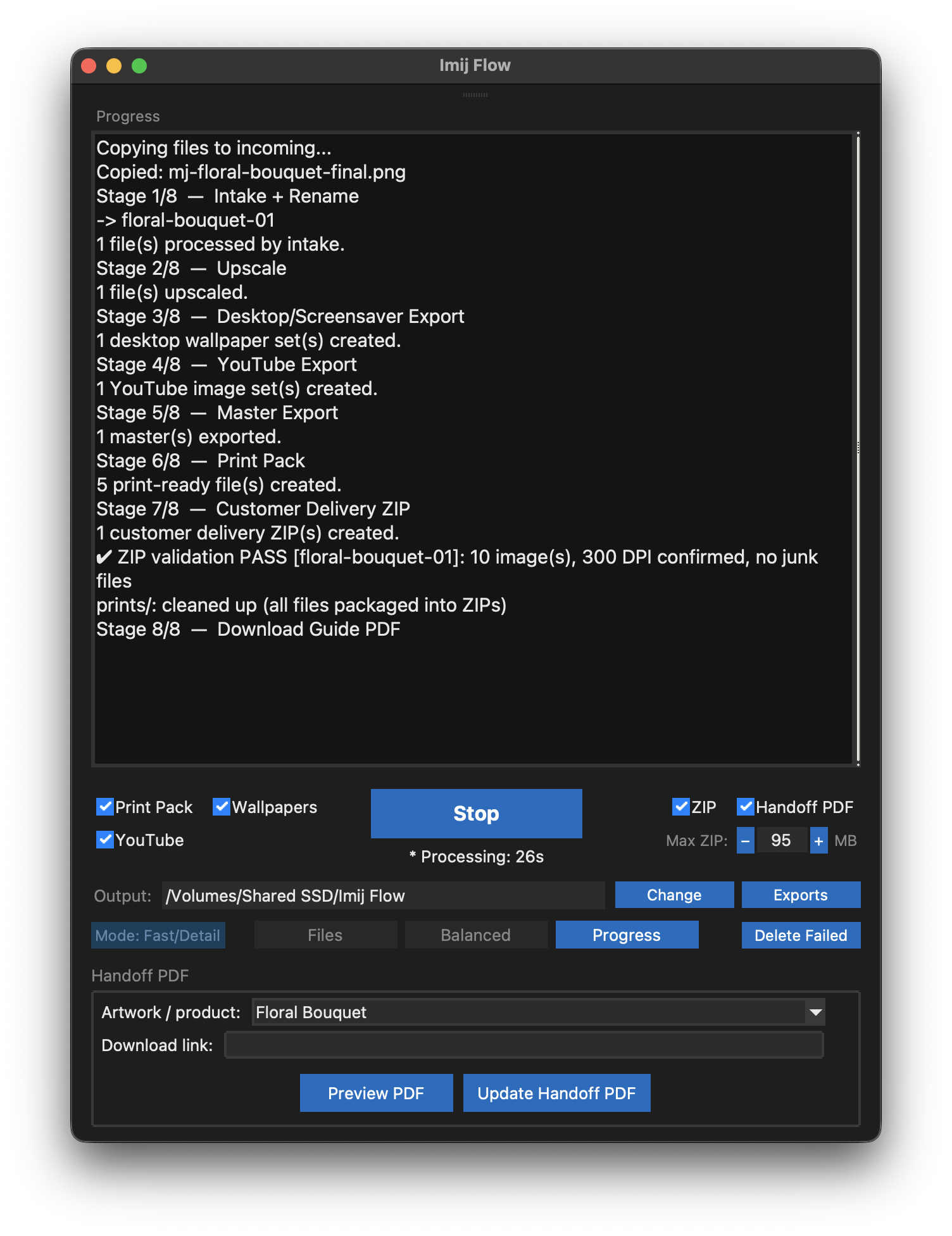
Let Imij Flow handle upscaling, export generation, packaging, and PDF creation.
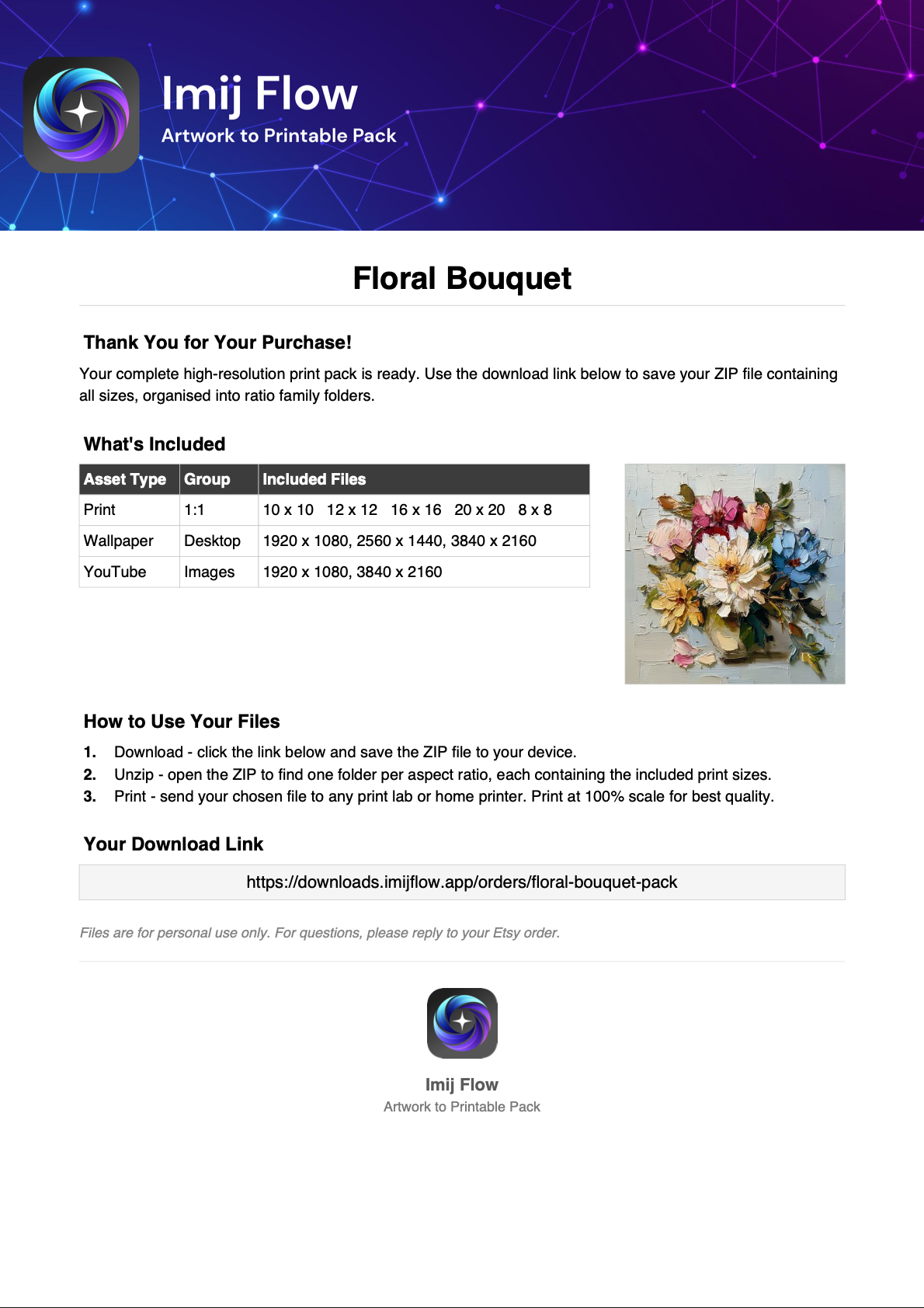
End with a customer-ready download guide and branded handoff assets.
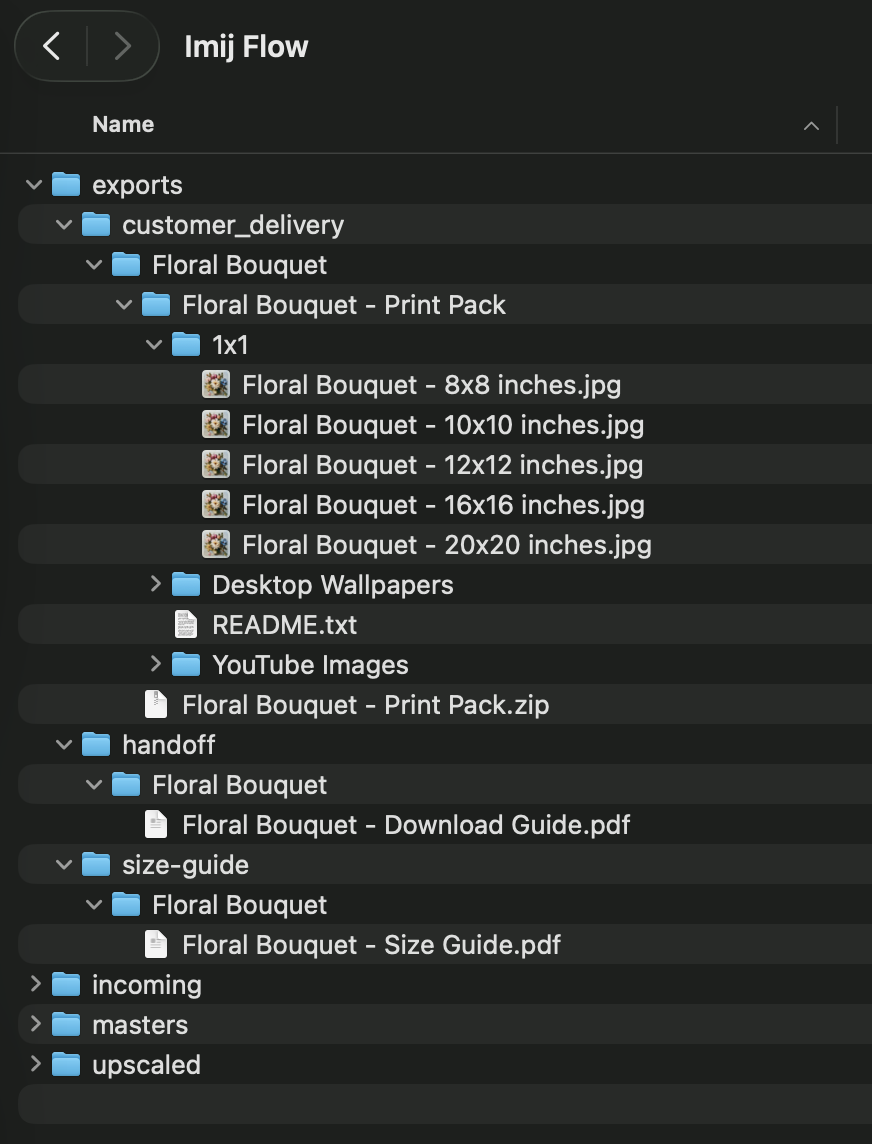
Keep exports, packs, and delivery files structured and easy to manage.
The flow
How it works
Start with one finished artwork
Bring in the finished file you've already signed off on.
Run one focused flow
Imij Flow runs AI upscaling if needed, generates printable ratio exports, packages the customer ZIP, and creates the size guide and handoff PDFs.
Get a customer-ready pack
A clean, organised delivery pack ready to attach to your Etsy listing.
What it does
What Imij Flow handles
Built for the operational work between "art is done" and "Etsy listing is ready." It saves time on every printable wall art listing, adds print-prep guardrails, and keeps customer delivery cleaner.
Printable ratio-group exports
Export your artwork at every standard printable ratio in one step.
Clean file naming and folder structure
Files land in the right place with consistent, customer-friendly names.
Customer delivery ZIP packaging
Zip packaged and ready to attach — no manual compression step.
Size guide and handoff PDFs
Professional size guide and delivery PDFs generated automatically.
Built-in print-prep guardrails
Resolution checks, colour mode checks, and common print errors flagged before packaging.
Less tool switching after the artwork is finished
One focused workflow replaces five separate tools in your current post-design stack.
AI image upscaling
Built-in AI upscaling prepares source artwork for larger printable export sizes before packaging.
README file generation
Include a clear README file inside the customer delivery package.
Branded delivery PDFs
Generate branded size guide and handoff/download PDFs with your banner, icon, and customer-facing copy.
Output capability
What you get from one artwork
Start with one finished artwork. Imij Flow generates printable export families across portrait, landscape, and square orientations — plus desktop wallpapers, YouTube images, and customer delivery assets.
Portrait printable formats
Common sizes per family. Which families are exported depends on artwork resolution and configuration.
Square formats
Available where the source artwork is suitable for square crop.
Landscape printable formats
Available for landscape-oriented artworks. Families generated depend on artwork orientation and configuration.
Desktop / wallpaper exports
16:9 format. Separate from printable exports. Depends on enabled output modes.
YouTube image exports
16:9, center-fit with blurred background fill. Separate from printable exports.
Delivery assets
Customer delivery ZIP
Packaged and organised for the buyer, with family folders kept clean
Size guide PDF
Customer-facing size reference, branded and customisable
Handoff PDF
Branded download guide with your banner, icon, message, and download link
Organised folder structure
Exports sorted into clear family subfolders instead of a loose file dump
What you get
What you get from one finished artwork
Imij Flow turns one approved artwork into organised exports, delivery assets, and listing-ready files.
Customer delivery assets
- Print-ready size groups
- Customer ZIP pack
- Download guide PDF
- Size guide PDF
- README included
Seller-ready outputs
- Upscaled master image
- Renamed files
- Organised folders
- Optional desktop wallpapers
- Optional YouTube images
Business gains
- Save time on every artwork
- Reduce manual setup
- Reduce repetitive work
- Package listings faster
- Grow your catalogue faster
- Scale your shop with less friction
Common questions
Straight answers
What is Imij Flow?
Imij Flow is a Mac desktop app built for Etsy printable wall art sellers. It automates the post-design production workflow — AI image upscaling, printable ratio-group exports across portrait, landscape, and square families, customer delivery ZIP packaging, size guide PDF generation, and branded handoff/download PDF creation. You bring in one finished digital artwork; Imij Flow handles the packaging and delivery prep before your Etsy listing goes live.
What files does Imij Flow generate from one artwork?
From one finished digital artwork, Imij Flow can generate: printable export files across ratio families (portrait: 2:3, 3:4, 4:5, 5:7, 11×14, A-series; landscape and square equivalents); optional desktop wallpapers (1080p, 1440p, 4K) and YouTube images; a customer delivery ZIP with organised family subfolders; a size guide PDF; a branded handoff/download PDF; an organised folder structure; and a README file. Outputs depend on artwork orientation, resolution, and your active configuration.
Does every artwork get every format family?
No. Which families are exported depends on the artwork's orientation, resolution, and your configuration. A landscape artwork won't produce portrait families. If a file falls below the minimum resolution required for a size, that size is excluded. Print-prep checks run before packaging — nothing ships that shouldn't.
Does it handle portrait, landscape, and square?
Yes. Portrait families: 2:3, 3:4, 4:5, 5:7, 11×14, A-series. Landscape families: 3:2, 4:3, 5:4, 7:5, 14×11, A-series landscape. Square: 1:1. Which families are generated depends on the artwork orientation and your active configuration.
Do I still need to visually review the artwork?
Yes — and that's intentional. Imij Flow handles the production steps after you've signed off on the creative work. You review the artwork itself. Imij Flow does the exporting, renaming, packaging, and PDF generation. It replaces the repetitive post-design steps, not your creative judgement.
What actually comes in the customer delivery ZIP?
All exported size files organised into family subfolders — one folder per ratio group. If the total ZIP size exceeds the configured threshold it's automatically split into numbered parts. The size guide PDF and handoff/download PDF are generated alongside the ZIP as separate files.
Does it also create desktop wallpapers and YouTube images?
Yes. Desktop/screensaver wallpapers (1080p, 1440p, 4K) and YouTube images (1080p and 4K, center-fit with blurred background fill) are available as separate output modes. These don't mix into the printable wall art pack — they're separate output stages.
What does "depends on artwork and configuration" mean in practice?
It means the app enforces it — not just disclaims it. Resolution is checked before packaging. Families that don't meet the minimum DPI requirement for their largest size are excluded for that artwork. Your configuration controls which output modes and families are active. Conditional outputs are real constraints, not marketing hedges.
Is this only for Etsy printable wall art sellers?
It's built specifically for that workflow — turning one finished artwork into a customer-ready Etsy printable pack with clean delivery assets. The packaging, folder structure, size guide, and handoff PDFs are all designed around that use case.
What platform does it run on?
Imij Flow is a packaged macOS desktop app. No web app, no cloud processing, no subscription service. It runs locally on your Mac.

Early access
Join the Imij Flow waitlist
Be the first to hear when Imij Flow launches, starting with Mac. Tell us which version you want, get launch updates, and lock in early pricing when it opens.
Get launch updates and early access to founding pricing.
Questions?
You're on the waitlist.
Check your inbox and confirm your email to finish joining the waitlist.
Questions?
Launch notification
First to know when Imij Flow ships for Mac
Version tracking
Your platform choice is noted — Mac first, Windows to follow
Early pricing access
Founding member rate before public launch pricing goes live
One confirmation only
Confirm your email once — no messages until it matters
Stop spending 30–60 minutes packaging one finished artwork by hand.
Use one focused workflow for printable exports, delivery packaging, and handoff files — then spend your time reviewing the artwork itself instead of repeating production steps.